Never lose your train of thought
No new tab, no re-explaining what you want. Highlight the words, run the fix, keep writing.
 Enrichr
AI writing assistant and text rewriter for Chrome
Copy the sentence, switch tabs, paste it into a chatbot, explain what you want, copy the answer back. Enrichr skips all that. Select the text, pick an action, done.
 OpenAI
 Gemini
Why people keep it pinned
No new app, no lost tabs, no login. Just the fix, right where you're already typing.
No new tab, no re-explaining what you want. Highlight the words, run the fix, keep writing.
Save the instruction once and reuse it forever. No retyping into a chatbot.
There's no Enrichr server reading your drafts. Your key and your history live on your own machine, full stop.
No hunting through a menu for the action you always reach for. Just press the shortcut.
Use OpenAI or Google Gemini and pay them directly, at their price. Enrichr doesn't add a subscription on top.
Your last five results wait in the side panel, so a stray click doesn't mean starting over.
One focused workflow
Nothing runs until you ask for it. No background process, no watching.
Any sentence, comment, or paragraph. Just like you already select text.
Your top five actions get a shortcut. No menu, no clicking.
Drop it straight into the field, or copy and paste it anywhere.
For the fixes you reach for daily
Five shortcut slots for the actions you use daily, without turning your keyboard into a cheat sheet. Once assigned, there is no menu or clicking.
Chrome suggests shortcuts for the first four when available. Assign the fifth—or customize any of them—from Chrome’s extension shortcuts settings.
Built for how you actually write
Write the action once. Run it on anything: a comment, an email, a caption.
Learning to write
Write a custom action that corrects your text and adds a short note on what changed and why, so every edit teaches you something for next time.
Posting online
Rewrite a stiff paragraph into something loose and direct enough to post on Reddit or a forum, without losing what you meant to say.
Client work
Turn a two-line reply typed in a hurry into something you're comfortable putting your name on.
Writing in a second language
Keep your own voice and wording, just cleaner grammar and phrasing. A quiet check before anyone else reads it.
Social & marketing
Turn a plain product description or update into something that stops the scroll, in the tone your audience actually responds to.
Support & service
Rewrite a frustrated draft into something calm and helpful before it ever reaches a customer.
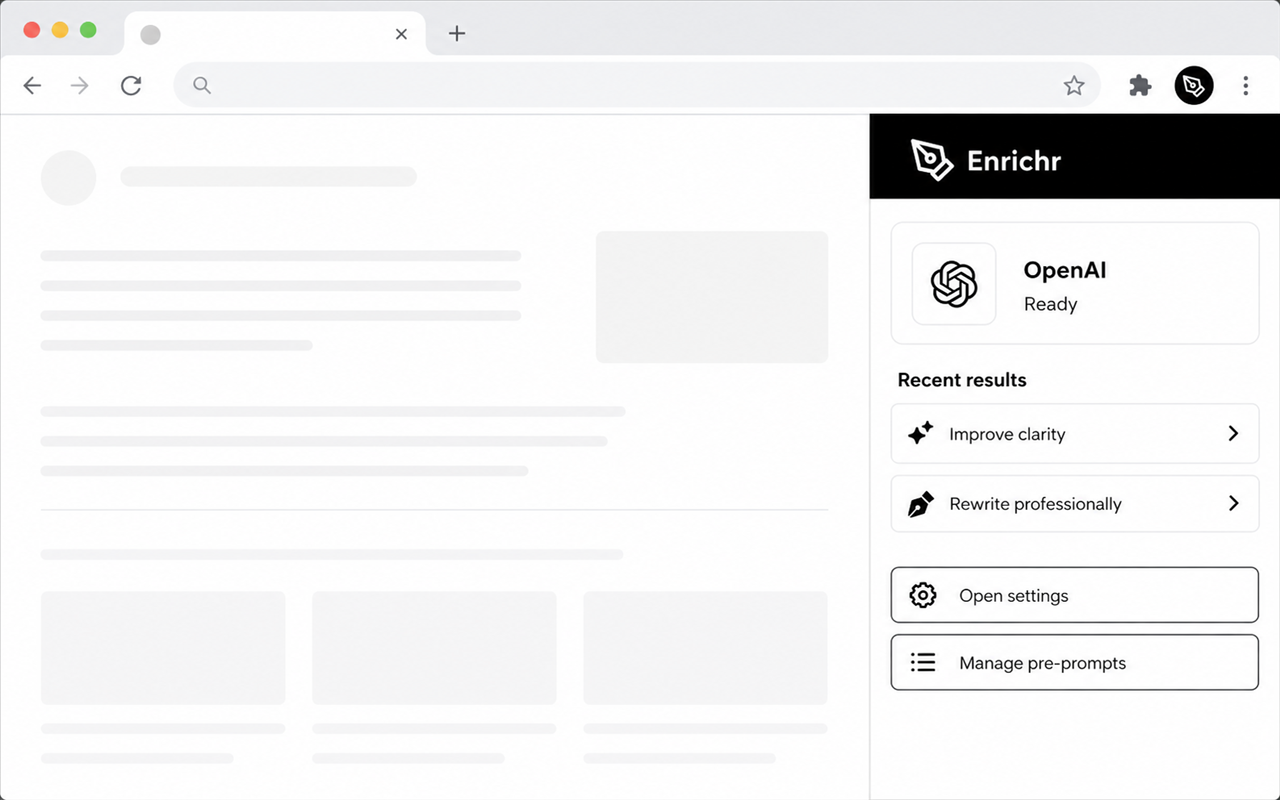
Your provider. Your key.
Plug in your own OpenAI or Gemini key and pay them directly, at their price. No markup, no plan to cancel. Your text goes straight from your browser to the provider you chose. We're not in between.
Supported providers
OpenAI
Google Gemini
A clear boundary
Enrichr doesn't watch what you type. It wakes up only when you click a menu item or press a shortcut, touches the text you selected, and nothing else. No password fields, no analytics, nothing sold.
Read the privacy policyGood to know
Enrichr works with OpenAI and Google Gemini. Pick your provider and model in settings.
The extension is free. You bring your own OpenAI or Gemini API key, so any usage is billed directly by your provider at their rates. There's no Enrichr subscription or markup.
Your API keys, settings, prompts, and five most recent results live only in local Chrome storage on your device. Selected text goes directly from your browser to your chosen provider. Enrichr runs no backend and collects nothing. See the privacy policy for details.
No. There is no Enrichr sign-up. You only need an API key from OpenAI or Google, which you paste into the extension settings.
Yes. Create, edit, and reorder your own pre-prompts, then run them from the context menu. Assign Chrome keyboard shortcuts to your first five for one-press access.
Enrichr works on most webpages where you can select text and Chrome allows extensions to run. Some browser-internal pages and specialized editors may not support it. It only activates on the text you highlight, and only when you ask it to.
Both. In editable fields like text boxes, comment forms, and most editors, Enrichr can drop the result straight in. On read-only pages, you'll get a copy button instead. Either way, nothing changes until you say so.
Yes. The built-in actions preserve whatever language you write in, and you can write custom actions in any language you like. The instruction and the text don't have to be English.
Nothing is applied automatically unless you choose to replace the text yourself. Your last five results also stay in the side panel, so you can compare, retry, or grab an earlier one back.
No. It sits idle until you run an action. No background scripts polling the page, no constant network calls, no impact on load times.
One developer, no investors
Hi — it's just me behind this one. No ads, no tracking, no growth team, no roadmap meetings. I ship fixes between other jobs, and if Enrichr saved you a few tab-switches today, a coffee genuinely helps keep it going.
Takes about a minute, on Buy Me a Coffee
Ready when you are
Free extension. An OpenAI or Google Gemini API key is required.